
Ever thought that a stunning YouTube video would disappear forever? With no download option visible, it is a serious issue. A world where more than 500 hours of new video are uploaded every minute makes it easy for great content to be lost or erased. However, what if you could store any video? That’s where a quality YouTube recorder may help. These simple tools let you perform video capture straight from your screen while protecting your favourite videos. We’ll walk you through the best screen recorder for YouTube in this guide so that you can build your personal library.
Part 1: How to Choose a YouTube Video Recorder
The YouTube video recorder can be hard to choose. Focus on these key elements to get through the shuffle and achieve consistently high-quality results.
• Crystal-Clear Quality: Make sure the tool is compatible with 4K or HD video at all times. Additionally, it must record system sounds clearly and without lag or glitches.
• Simple to Use: The top YouTube screen recorder ought to be a snap to use. With its simple design and one-click recorder, you can easily capture content.
• Flexible Recording Options: You can record a window, a custom area, or your entire screen with this fantastic tool. Scheduled recording has a significant positive impact on live streaming.
• Handy Outputs & Editing: Verify that the file types your recorder stores in are standard, such as MP4. An integrated editor for fast cuts and trims is also a time-saver.
• Price That Fits Your Pocket: Many fantastic recorders are free, while others offer pro features for a subscription. Find the perfect match for your budget.
By using these tips, you may choose the finest YouTube video recording program that will satisfy your needs and guarantee a good recording.
Part 2: Top 5 YouTube Video Recorders for PC
Do you know how to record YouTube videos with a decent tool? The next topic of discussion will be the top 5 YouTube video recorders for PCs. Each shines differently, so you will discover the perfect suit for your needs.”
1. CleverGet Recorder
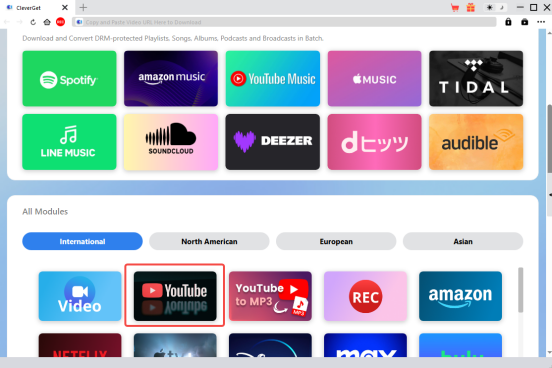
CleverGet Recorder operates in a very distinct way. The original video file is intelligently saved from more than 1,000 websites, including YouTube, instead of taking a screenshot of your screen. You will consistently receive a perfect, original-quality copy because of this clever strategy. Open CleverGet, then search for a live YouTube broadcast using its browser. You can set it to record YouTube live from start to finish, even when you’re not in front of your computer.
Pros:
Free Software: You don’t have to purchase it to activate all features.
Amazing Quality: It captures video in stunning 4K with crystal-clear audio while maintaining the original quality.
Built-in Browser: You don’t have to leave the app to find and download your selected videos.
No More Ads: Obtrusive commercials are automatically eliminated as videos are saved.
Cons:
Not a Screen Recorder: Your desktop or other apps cannot be recorded; it can only capture videos from the internet.
2. OBS Studio
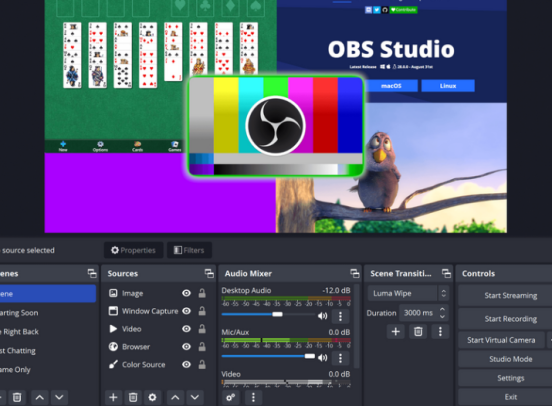
Many developers choose OBS Studio because it is a true powerhouse. This incredibly strong, open-source YouTube screen recorder is completely free. You have total flexibility over creating custom settings by combining your screen, webcam, and other devices.
Pros:
• No ads, watermarks, or other unstated costs. All of the expert features are free to use.
• Fully Customizable: It allows you to switch between different environments for different projects quickly.
• Works Everywhere: It runs flawlessly on Windows, Mac, and Linux.
Cons:
• Steep Learning Curve: Many settings could be too much for novices.
• Need a Good PC: Using settings that are too high-quality can cause older computers to lag.
3. Bandicam
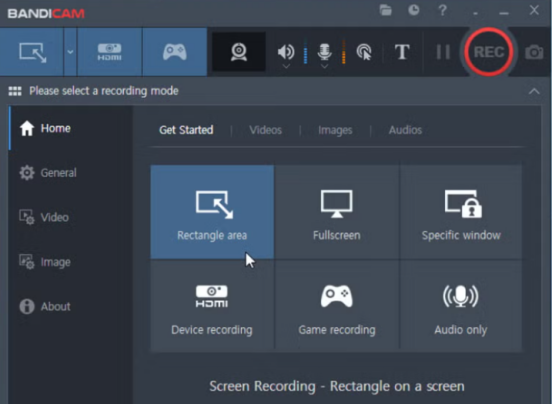
Bandicam is a lightweight and user-friendly screen recorder for YouTube. It can capture beautiful video without slowing down your computer, which is its biggest benefit. The design is so intuitive that anyone can record YouTube videos in just a matter of minutes.
Pros:
• Light on Resources: Its ingenious design enables smooth, lag-free recording.
• Flexible Modes: It features multiple modes for recording your screen, games, and other devices, including webcams.
• Set and Forget: Recordings can be scheduled to start and stop on their own at specific times.
Cons:
• Watermark: The watermark at the top of videos made with the free version is a drawback.
• Time Limit: The recordings in the free edition end after ten minutes.
4. Camtasia
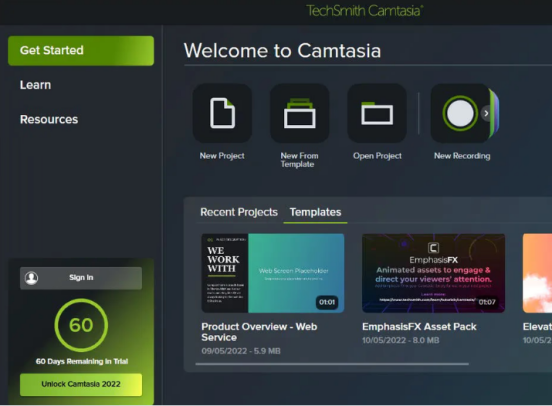
Camtasia combines the best screen recorder and advanced video editing into one device. It is frequently referred to as the best screen recorder for YouTube by experts who need to produce high-quality training and lesson videos. For dedicated film artists, its smooth workflow is a delight. Camtasia combines the best screen recorder and advanced video editing into one device. It is frequently referred to as the best screen recorder for YouTube by experts who need to produce high-quality training and lesson videos. For dedicated film artists, its smooth workflow is a delight, despite being the most expensive tool on this list.
Pros:
• Record and Edit: Its feature-rich video editor and user-friendly recorder are combined.
• Pro Editing Tools: Comes with royalty-free music and materials, animations, and effects.
• Perfect for Tutorials: It is easy to follow instructions thanks to zoom effects and pointer highlighting.
Cons:
• Very Expensive: Its premium price tag is probably too pricey for average consumers.
• Can Be Slow: Complex video projects can take longer to render on older processors.
5. ScreenRec
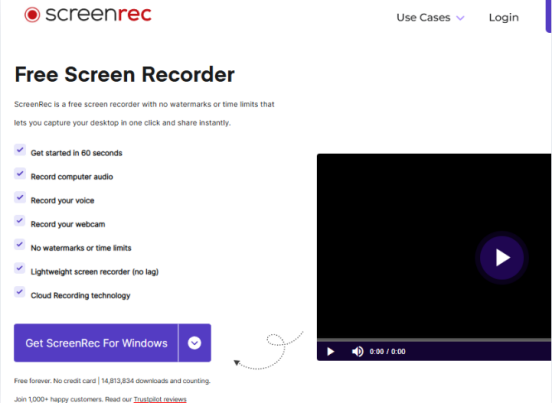
ScreenRec is a wonderfully simple and free app to record YouTube videos and screenshots. Its key benefits are speed and simplicity of use. Pressing a hotkey lets you immediately begin recording your screen or take a YouTube screenshot. The private URL is perfect for short videos because you can share it once you’re done.
Pros:
• Fast and Easy: The straightforward design makes recording quick and easy.
• Instant Sharing: This feature automatically uploads your recording and saves a shareable link with you.
• Truly Free: Good for a free tool, there are no watermarks or recording duration restrictions.
• Super Lightweight: The application is incredibly lightweight and uses almost no system resources.
Cons:
• No Editing: It’s built for recording and sharing only, not for editing your videos.
• Account for History: You need a free account to see your full recording history.
The best streaming video recorders can suit your needs and budget. This list has something for everyone. You can find simple tools for sharing or powerful ones for downloading your favorite YouTube videos.
Part 3: Conclusion
Knowing what to look for makes choosing the finest YouTube recorder for your PC simple. The right tool is available for any task.
For flawless, original-quality downloads, grab CleverGet Recorder. The powerful OBS Studio tool is for high-end live video recording. Bandicam is an excellent choice if you require a lightweight device that won’t slow you down. To record and edit in one place, Camtasia is your all-in-one suite. And for quick sharing, nothing beats the simplicity of ScreenRec.
Are you itching to create slick tutorials showing folks how to screen record like a pro? Having a clear goal decides to walk in the park. Grab one of these recorders to start recording your offline collection and stop your favourite videos from vanishing into thin air.