
We use these four terms every single day. You open a PDF on your phone, plug in a USB to transfer files, hear someone talk about the CPU inside a computer, and look at an LED screen right now as you read this. But most people have never stopped to think about what these letters actually stand for.
This article covers the full form of PDF, USB, CPU, and LED along with a simple explanation of what each one means, how it works, and why it matters in daily life. No technical jargon, just plain and clear information.
Full Form of PDF
PDF stands for Portable Document Format. It was created by Adobe in the early 1990s, and the idea behind it was simple. People needed a way to share documents that would look exactly the same on every device, no matter what operating system or software the other person was using.
Before PDF existed, sharing a document was a problem. A file created on one computer might look completely different when opened on another. Fonts would change, spacing would break, and formatting would fall apart. PDF solved all of that by locking the document layout in place.
When you save something as a PDF, the file carries everything with it including the fonts, images, colors, and layout. The person receiving the file does not need to have the same software or the same fonts installed. The document will look identical on their screen.
This is why PDF became the standard for sharing official documents like resumes, bills, legal papers, government forms, and academic research. Banks send statements as PDFs. Schools share results as PDFs. Companies send invoices as PDFs.
PDF files can be opened on almost any device today, whether it is a phone, tablet, laptop, or desktop. There are apps and browsers built specifically to read them. Adobe Acrobat Reader is the most well known, but modern browsers like Chrome and Firefox can open PDF files directly without any extra software.
One more useful thing about PDFs is that they can be password protected. If you want to share a sensitive document, you can lock the PDF so only someone with the correct password can open or edit it. This makes it a reliable format for confidential information as well.
Full Form of USB
USB stands for Universal Serial Bus. The word “universal” in the name tells you everything about its purpose. Before USB was introduced in 1996, connecting devices to a computer was a complicated and inconsistent process. Different devices needed different ports and different cables. A printer used one type of connection, a keyboard used another, and a mouse needed yet another.
USB was designed to replace all of that with a single, standard connection that could work for almost any device. The idea was that any USB device would plug into any USB port on any computer, and it would just work. That was a big deal at the time and it changed how we use computers forever.
Today, USB is used to connect a huge range of devices. Keyboards, mice, printers, scanners, cameras, phones, external hard drives, pen drives, speakers, and charging cables all use USB connections. When you plug your phone into a laptop to charge it or transfer photos, you are using USB.
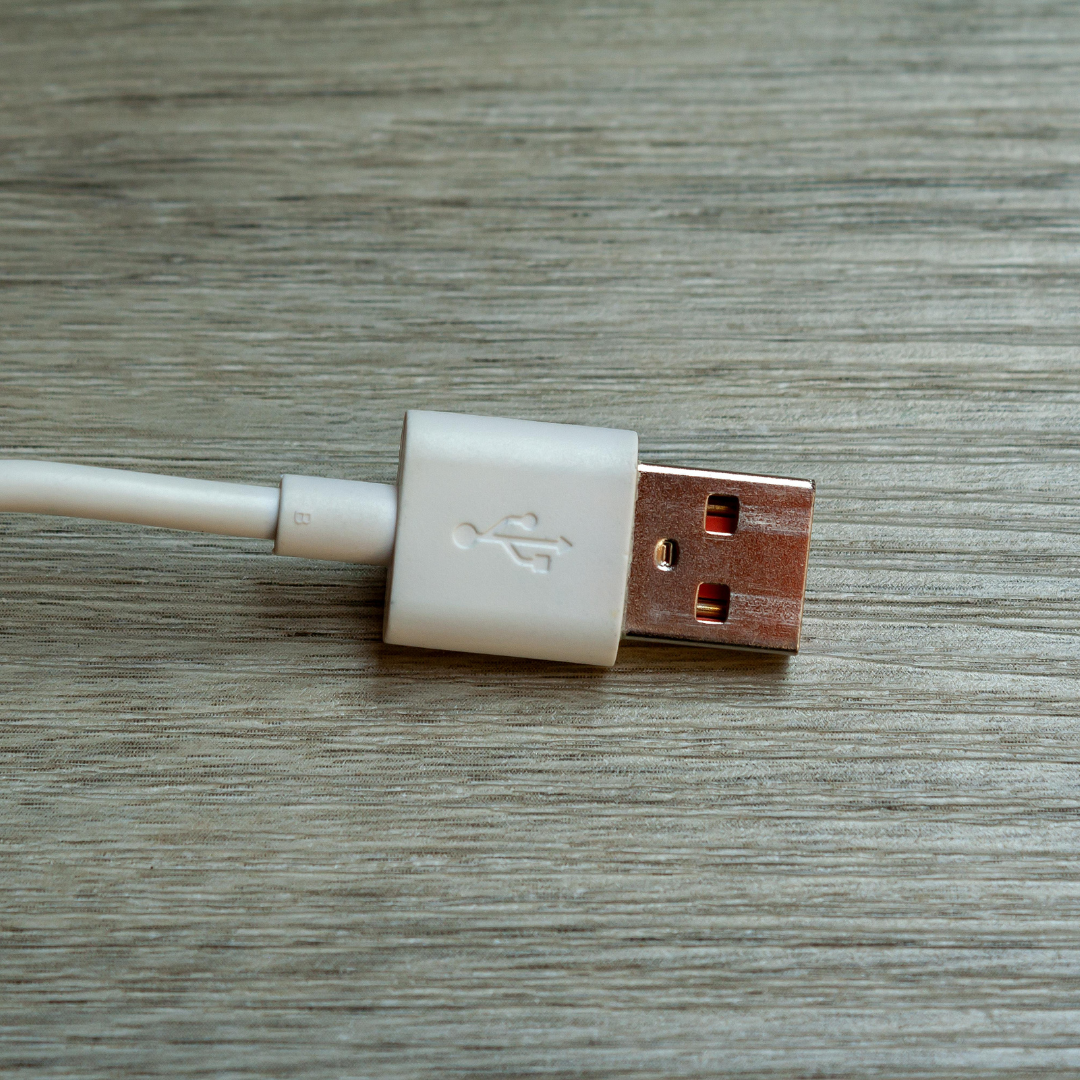
Over the years, USB has gone through several versions. USB 1.0 was the original. USB 2.0 came later and was much faster. USB 3.0 and USB 3.1 increased the speed further. Then came USB 4, which is the latest and fastest version. The shape of the connector has also changed. There are Type A connectors, which are the flat rectangular ones most people know, Type B connectors used for printers, Micro USB used for older phones, and the newer USB Type C which is oval shaped and can be plugged in from either side.
USB Type C is quickly becoming the standard because it is smaller, faster, and more convenient. Most modern smartphones and laptops now use USB Type C for both charging and data transfer.
Full Form of CPU
CPU stands for Central Processing Unit. It is often called the brain of a computer, and that description is quite accurate. Every single task your computer performs, whether you are typing a document, watching a video, opening a website, or running a game, the CPU is involved in making that happen.
The job of the CPU is to process instructions. When you click on an app, your computer sends an instruction to the CPU. The CPU reads that instruction, processes it, and sends back the result. This happens billions of times per second in modern processors.
A CPU is made up of several key parts. The most important ones are the cores, the cache, and the clock speed. Cores are like separate workers inside the CPU. A single core processor can only handle one task at a time. A dual core has two, a quad core has four, and modern CPUs can have eight, twelve, or even more cores. More cores generally means the computer can handle more tasks at the same time without slowing down.
Clock speed is measured in GHz, which stands for gigahertz. It tells you how many cycles the CPU completes per second. A CPU running at 3.0 GHz completes 3 billion cycles every second. Higher clock speeds generally mean faster performance, though this is not the only factor that determines how fast a computer feels.
The cache is a small amount of very fast memory built directly into the CPU. It stores frequently used data so the processor can access it without going all the way to the main RAM every time. This makes the computer significantly faster in practice.
Some well known CPU manufacturers include Intel and AMD. Intel makes processors like the Core i3, i5, i7, and i9 series. AMD makes the Ryzen series. Both compete heavily in terms of performance and price, which benefits everyday consumers.
Full Form of LED
LED stands for Light Emitting Diode. A diode is a small electronic component that allows electricity to flow in only one direction. When certain types of diodes have electricity passed through them, they emit light. That is the basic principle behind LED technology.
LEDs have been around since the 1960s, but they were initially used only in indicator lights on electronic panels because they produced very little light and came in limited colors, mainly red. Over decades, engineers improved the technology and LEDs became brighter, more efficient, and available in a wide range of colors including white, which opened the door to using them for general lighting.
Today LED technology is everywhere. The screen you are reading this on right now is most likely an LED display. LED televisions, LED monitors, LED bulbs, LED streetlights, LED car headlights, and LED backlights in laptops are all common examples of where this technology shows up in daily life.
One of the biggest reasons LEDs took over from older technologies like incandescent bulbs and fluorescent tubes is energy efficiency. An LED bulb uses significantly less electricity than a traditional bulb to produce the same amount of light. A standard incandescent bulb wastes most of its energy as heat. An LED converts a much higher percentage of that energy directly into light.
LEDs also last much longer. A traditional bulb might last around 1,000 hours. A good quality LED bulb can last anywhere from 15,000 to 50,000 hours or more. This means lower electricity bills and fewer replacements over time.
Beyond lighting, LEDs are used in displays, traffic signals, remote controls, camera flashes, decorative lighting, and medical equipment. The technology has become so widespread and affordable that it is hard to imagine modern life without it.
Why Knowing Full Forms Actually Matters
You might wonder why it is important to know what PDF, USB, CPU, and LED stand for. After all, you use them every day without knowing the full forms, and everything works fine. That is true, but knowing the full forms gives you a better understanding of what you are actually working with.
When you know that CPU means Central Processing Unit, you start to understand why upgrading the CPU makes a computer faster. You understand what people mean when they say a computer has a powerful processor. It stops being a mystery and becomes something you can actually think about and make decisions around.
When you know that USB means Universal Serial Bus, you understand why there are different versions like USB 2.0 and USB 3.0, and why one transfers files faster than the other. You can make a more informed choice when buying a USB drive or an external hard drive.
Knowing that LED stands for Light Emitting Diode helps you understand why LED bulbs last longer and use less electricity. When you are shopping for lights or screens, you can compare options intelligently instead of just going by price.
And knowing that PDF stands for Portable Document Format explains exactly why PDFs look the same everywhere. The format is built to be portable. That one word in the full form captures the entire purpose of the technology.
In school and competitive exams, full forms are also directly tested. Questions like “what is the full form of CPU” or “expand LED” are common in general knowledge sections. Having these stored in your memory gives you quick and accurate answers.
Full forms also come up in everyday conversations, interviews, and professional settings. Knowing them well makes you sound informed and confident.
Quick Reference: PDF, USB, CPU, LED Full Forms at a Glance
Sometimes you just need a fast reference when you are studying or revising. Here is a clean summary of all four full forms covered in this article along with a one line explanation of each.
PDF stands for Portable Document Format. It is a file format that preserves the layout and appearance of a document regardless of the device or software used to open it. It was developed by Adobe and is widely used for sharing official and formal documents.
USB stands for Universal Serial Bus. It is a standard connection interface used to connect devices like phones, keyboards, printers, and drives to computers. It is called universal because it is designed to work across different devices and brands.
CPU stands for Central Processing Unit. It is the primary component inside a computer that processes all instructions and carries out tasks. It is commonly referred to as the brain of the computer and determines how fast and efficiently a system can run.
LED stands for Light Emitting Diode. It is a semiconductor device that produces light when electricity passes through it. LEDs are known for their energy efficiency, long lifespan, and wide range of applications from screens to bulbs to indicators.
These four are among the most searched full forms by students, professionals, and general knowledge enthusiasts. Bookmarking or revisiting this page whenever you need a quick revision is always a good idea.
FAQs
Q1. What is the full form of PDF?
PDF stands for Portable Document Format. It is a file format created by Adobe that allows documents to look the same on any device, regardless of the software or operating system being used.
Q2. What is the full form of USB?
USB stands for Universal Serial Bus. It is a standard interface used to connect devices like phones, printers, flash drives, and keyboards to computers. The word universal reflects its design to work across different devices.
Q3. What is the full form of CPU?
CPU stands for Central Processing Unit. It is the main component of a computer that processes instructions and executes tasks. It is often described as the brain of the computer.
Q4. What is the full form of LED?
LED stands for Light Emitting Diode. It is a semiconductor device that emits light when an electric current passes through it. LEDs are widely used in screens, bulbs, traffic lights, and many other applications.
Q5. Who invented the PDF format?
PDF was invented by John Warnock at Adobe Systems. It was first released in 1993 as a way to share documents that would retain their original formatting across different devices and platforms.
Q6. What is the difference between USB 2.0 and USB 3.0?
USB 3.0 is significantly faster than USB 2.0 when it comes to data transfer speeds. USB 2.0 transfers data at up to 480 Mbps, while USB 3.0 can reach speeds of up to 5 Gbps. USB 3.0 ports and cables are usually identified by a blue color on the connector.
Q7. Are LED bulbs better than regular bulbs?
Yes, in most ways. LED bulbs use far less electricity than traditional incandescent bulbs and last much longer. They also produce less heat. Though LED bulbs cost a bit more upfront, they save money on electricity bills and replacements over time.
Q8. Can a PDF file be edited?
Yes, PDF files can be edited using software like Adobe Acrobat. There are also free online tools that allow basic edits. However, not all PDFs are editable. Some are locked or scanned, which makes direct editing harder without specific tools.
Q9. What does it mean when a CPU has more cores?
More cores mean the CPU can handle more tasks at the same time. Each core is essentially an independent processing unit. So a quad core CPU can work on four tasks simultaneously, which makes multitasking smoother and improves performance in tasks like video editing or gaming.
Q10. Where are LEDs used besides light bulbs?
LEDs are used in television and monitor screens, smartphone displays, car headlights, traffic signals, decorative lights, camera flashes, remote controls, and even in medical devices for precise lighting during procedures.